Header

Image Map

Wednesday, August 3, 2016

5 TED Talks for Music Teachers

I love TED talks! They are just long enough to fit a substantial amount of information and short enough to watch in one sitting. These are a few of my favorite TED talks to inspire music teachers all around!

As music teachers, sometimes we need a little inspiration! These 5 TED talks will give you just that. From serious questions to fun solutions, these TED talks are sure to inspire and excite!


Eric Whitacre - A Virtual Choir 2,000 Voices Strong


Technology is transforming so quickly. It is amazing what happens when you combine technology and music. This TED talk features Eric Whitacre talking about his virtual choir.

Stefon Harris - There Are No Mistakes on the Bandstand


Sometimes as music educators, we can get hung up on perfection and can beat ourselves up over mistakes. Mistakes are only often perceived as mistakes because of the way we react to them. It's a good lesson for us as teachers and for our students as well.

Ken Robinson - Do Schools Kill Creativity?


There is certainly a reason why this is one of the most popular TED talks of all time. As music educators, we value creativity. Ken Robinson is a wonderful advocate for nurturing students' creativity.

Rita Pierson - Every Kid Needs A Champion


This is my absolute all time favorite education related TED talk. Rita Pierson reminds us as educators that it is important to believe in our students and foster positive relationships with them.

TED Staff - It's TED, The Musical!

For those of you who love musicals, check out this TED talk! This one is just for fun. Sometimes you need a little laugh after a long school day!


post signature

Friday, July 22, 2016

5 Name Games for Back to School in the Music Classroom

Thursday, March 24, 2016

Gamify Your Music Lessons and Gather Assessment Data Using Kahoot

Gone are the days of boring review sessions. Turn your classroom into a gameshow using Kahoot! 


What is Kahoot?
Kahoot is a game-based learning website for all ages. A teacher creates a quiz or "kahoot" containing a series of questions with 2-4 answers. You can also browse the public Kahoot database to see if the material you want to review has been made by another teacher.

What do I need to use Kahoot?
The teacher will need a device that connects to the internet and a way to project the screen on that device. Students will need a device that connects to the internet. Devices include smart phones, tablets, computers, etc.

How does Kahoot work?
The teacher will login and "play" the kahoot they are planning to use in the lesson. Students will need to go to kahoot.it (different than the teacher website) and enter the game pin displayed on the screen. Once all of your students have joined, the teacher begins the game.


The first question will appear. Students will have several moments to read the question before the answers are displayed. Students select answers by choosing the corresponding shape or by color. The quicker a student responds with a correct answer, the more points they get. 


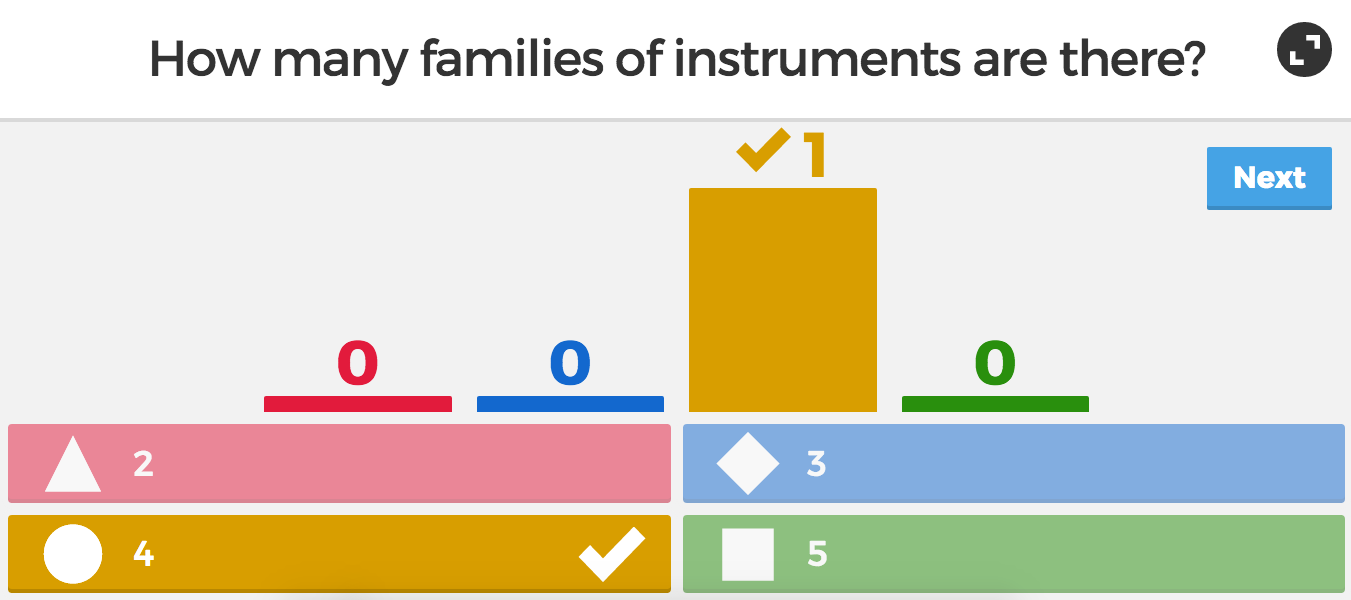
After the end of each round, the correct answer is displayed along with the amount of people that chose each answer. Following that, the leader board comes up, which encourages students in friendly competition.


How can I use Kahoot to assess students?
The most awesome feature of Kahoot might be it's ability to assess data. At the end of a game play, the teacher will reach a screen that gives the option to download the results. You have the option to download as an Excel file or download straight to Google Drive.


When you open the file, you get an analysis of how each student did overall and how they did on each question. A green mark indicates a correct answer, red indicates incorrect answer. You could use this data as a grade or as a way to inform your teaching.


Bottom line, students learn while having fun and you get the data you need to assess!

post signature

Thursday, August 20, 2015

Need a Pencil?

Monday, July 20, 2015

Job Search and Interview Tips for Music Teachers

Saturday, April 18, 2015

Your iPad's Camera App As An Assessment Tool

I would love to individually assess all of my students on rhythm reading. In reality, that isn't always possible during class because of limited time, shy students, and concert prep time among a million other things. Have access to iPads? The camera/video app can solve your assessment woes! You don't even need a whole class set for this to work!

Your iPad's camera app can serve as an easy assessment tool for your music classroom! You don't even need a full set for this to work.


During the 2nd quarter, I used my beginner Nutcracker rhythm composition kit with my 2nd graders. They were instructed to create a 4 beat pattern, read the rhythm using ta's/titi's/to-o, read the rhythm using the Nutcracker words, and then record themselves. 


Tips for Videos

1. After students have pressed record, make sure you have them pause briefly before saying anything. Sometimes kids start speaking before they are recording without realizing.
2. In order to identify which recording belongs to which student, have them say their first and last name as well as their homeroom/classroom teacher before they start whatever part they will say for the assessment.

3. If you choose to have students email their assessments to you, organize the video files by creating a folder for each classroom teacher.

4. Don't have access to a full set of iPads? Use it as part of centers activity!

Gathering Student Work
My school is fortunate enough to have a Google Drive folder for each child. Students uploaded their videos to their folders. I was able to go into their folders after school to assess their videos. If you don't have a Google Drive system set up at your school, don't fret! These videos are small enough to be emailed. Here's how:

1. Go to the camera roll and select the most recent video. Then tap on the icon that's in the bottom left side of the screen.

2. Select the video you want to send. The current video will come up already selected.


3. Select the send via mail option. The video will automatically compress once you tap the mail icon.


post signature

Sunday, April 12, 2015

Musical Opposites: Videos and Singing Games

Starting out lessons with a quick video is a great way to get students hooked on the day's lesson. Here are a few short videos to go along with singing games on musical opposite concepts high/low, fast/slow, and loud/soft.

High/Low

Videos:


Games:

Andy Pandy


Students march to steady beat and then freeze on high to reach as high as they can and low to touch their toes. Add another level by having students march in a circle.

Sigh High, Sing Low


Students stand in a circle and pass a dog (or other stuffed animal) to the student they call. In order to show who has had a turn, have students keep one hand on their head until the stuffed animal is passed to them. 

Fast/Slow

Videos:


Games:

Rig-A-Jig-Jig


This song is sung slowly until the fermata. After the fermata, the song picks up in tempo. I like to drag the first part out to really show contrast to the second part. To play the game, students sit in a circle. One student is chosen to walk slowly around the circle while students sing. When the class reaches the fermata, the student taps the shoulder of whoever is in front of them. The chosen student then chases the student around the circle and attempts to tag him/her before the song ends.

I do not have much room for chasing in my small music room so instead of having students running/chasing, I had both students gallop around the circle without trying to tag each other. They enjoyed it just as much without the competitive part.

Loud/Soft


Games:

Grizzly Bear


Students sit in a circle while one student(the sleeping grizzly bear) sits outside of the circle facing away from the rest of the group. One student in the circle is chosen to "wake" the grizzly bear by tapping the grizzly bear on the shoulder during the last two lines of the song (please be very quiet....). When students sing the word mad, the grizzly bear turns around and has three guesses to find who tapped them on the shoulder.

This post is a part of Fermata Fridays! Click above for other great music education posts.


post signature